4 SaaS Framework: Rails as a Model–View–Controller Framework
Alan Perlis (1922–1990) was the first recipient of the Turing Award (1966), conferred for his influence on advanced programming languages and compilers. In 1958 he helped design ALGOL, which has influenced virtually every imperative programming language including C and Java. To avoid FORTRAN’s syntactic and semantic problems, ALGOL was the first language described in terms of a formal grammar, the Backus-Naur form (named for Turing Award winner John Backus and his colleague Peter Naur).
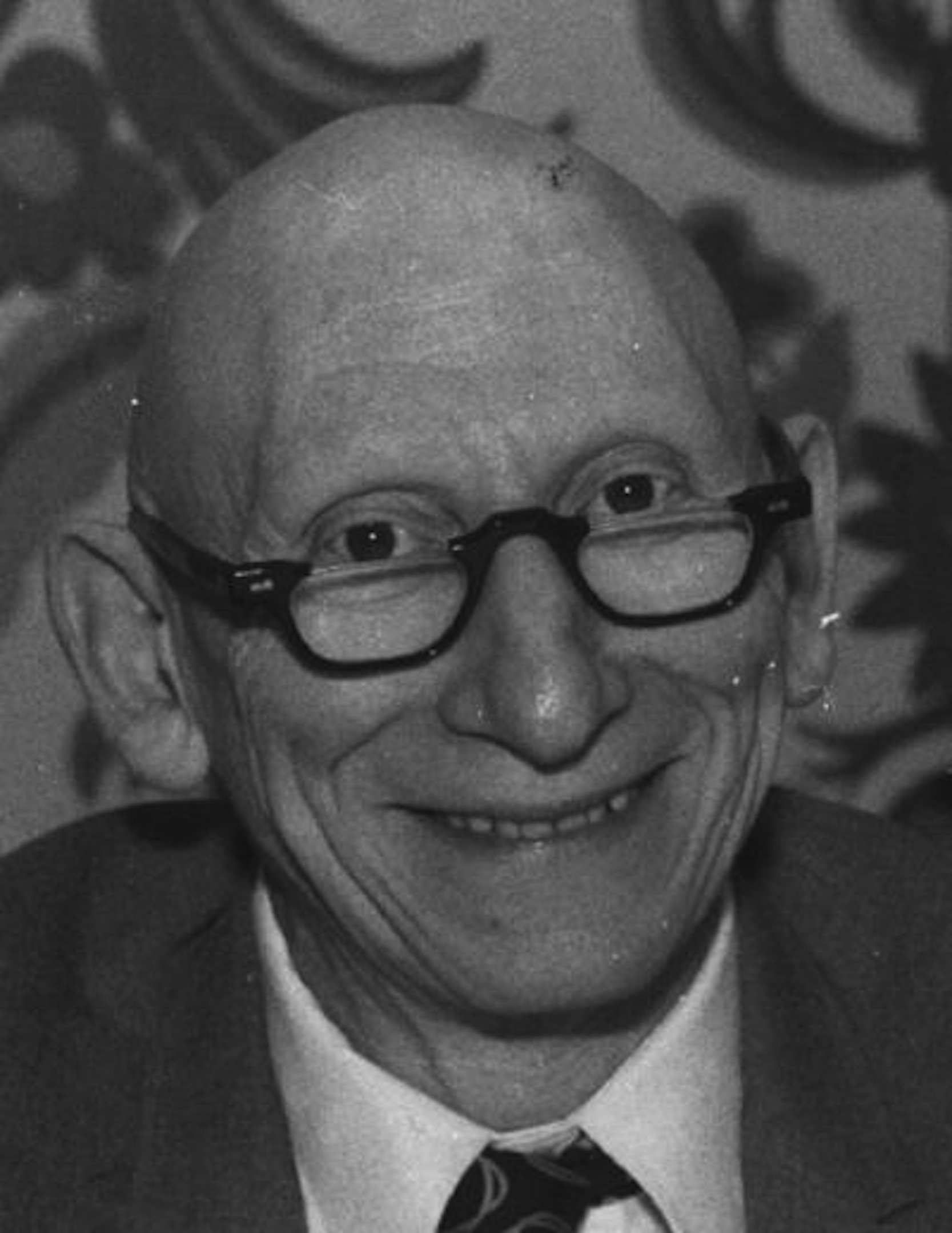
In programming, everything we do is a special case of something more general—and often we know it too quickly.
— Alan Perlis
Like most modern SaaS frameworks, Rails captures two decades’ worth of developer experience by encapsulating common operations (so SaaS app writers don’t have to handle them) and by exposing proven SaaS design patterns (so SaaS app writers can easily apply them).
Prerequisites
You should be familiar with basic operations in SQL (the Structured Query Language), such as INSERT, SELECT…WHERE, UPDATE, and DELETE. An excellent free resource for learning SQL basics is the Khan Academy SQL tutorial: the sections on SQL Basics, More Advanced SQL Queries, and Modifying Databases with SQL will suffice for this chapter.
Concepts
A Rails app is best viewed as a collection of RESTful resources on which the app provides an interface for performing various operations.
Well designed software systems reflect organization at multiple levels of granularity, often based on identifiable architectural patterns. A Rails app implements the server side of the client-server pattern introduced in Chapter 3. The structure of the app itself introduces another architectural pattern called Model–View–Controller, or MVC.
In the Rails implementation of MVC, models—the main data managed by the app—are stored in a relational database using the Active Record design pattern. Views, which allow users to see and interact with the data, use the Template View pattern to create HTML or JSON representations of the app’s resources (models). Controllers, which mediate interaction between the views and models, follow Representational State Transfer (REST), in which each controller action describes a single self-contained operation on one of the app’s resources.
Rails’ mechanisms can be used to build both SaaS apps designed for use from a browser and microservices adapted to work in a service-oriented architecture.
Rails uses Ruby’s features of metaprogramming and introspection to provide convention over configuration: if you follow certain conventions regarding the naming of classes, variables, and files, nearly all manual configuration can be avoided, making apps smaller and simpler to understand and maintain.
Unlike debugging PaaS, debugging SaaS requires understanding the different places something could go wrong during the flow of a SaaS request, and how to surface that information to the developer.
4.1 The Model–View–Controller (MVC) Architecture
All well-written and nontrivially-sized applications reflect some macroarchitectural organization, that is, they can be thought of as ensembles of large communicating subsystems. Put another way, while we established in Section 3.1 that SaaS apps follow a client–server architecture, we have said nothing about the organization of the server application. In this section we use an architectural pattern called Model-View-Controller (usually shortened to MVC) to do so.
An application organized according to MVC consists of three main types of code. Models are concerned with the data manipulated by the application: how to store it, how to operate on it, and how to change it. An MVC app typically has a model for each type of entity manipulated by the app. For example, for a movie database app in which moviegoers (users) can write reviews, the entities would include (at least) movies, moviegoers, and reviews. (Towards the end of this chapter, a CHIPS exercise will introduce such an app, RottenPotatoes, which we’ll use throughout the rest of the book.)
Views are presented to the user and contain information about the models with which users can interact. The views serve as the interface between the system’s users and its data; for example, in RottenPotatoes you can list movies and add new movies by clicking on links or buttons in the views. There is only one kind of model in RottenPotatoes, but it is associated with a variety of views: one view lists all the movies, another view shows the details of a particular movie, and yet other views appear when creating new movies or editing existing ones.
Finally, controllers mediate the interaction in both directions: when a user interacts with a view (for example, by clicking something on a Web page or submitting a form), a specific controller action corresponding to that user activity is invoked. Each controller corresponds to one model, and in Rails, each controller action is handled by a particular Ruby method within that controller. The controller can ask the model to retrieve or modify information; depending on the results of doing this, the controller decides what view will be presented next to the user, and supplies that view with any necessary information. Since RottenPotatoes has only one model (Movies), it also has only one controller, the Movies controller. The actions defined in that controller can handle each type of user interaction with any Movie view (clicking on links or buttons, for example) and contain the necessary logic to obtain Model data to render any of the Movie views.
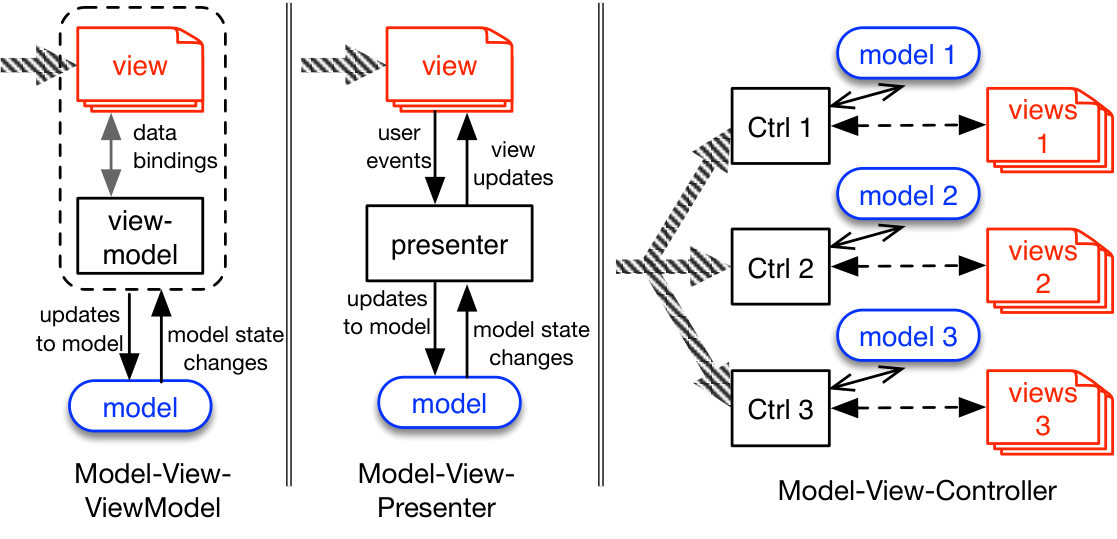
Given that SaaS apps have always been view-centric and have always relied on a persistence tier, Rails’ choice of MVC as the underlying architecture might seem like an obvious fit, but there are caveats. Technically, while a View in the MVC sense means “any logic needed to display something,” a Rails view is really a special case called a template or template view, in which static markup interspersed with variable substitution is processed by a generic logic engine. As Figure 4.1 shows, other patterns are possible for view-oriented frameworks. Model-View-Presenter can be thought of as an embellishment of Model-View-Controller, and Model-View-ViewModel provides two-way interaction between the model and the view so that updates to the view automatically occur in the model, in contrast to MVC in which the focus is on reflecting model changes in the view.
As a software engineer who is experienced at learning new stacks, you will be in a position to learn by asking other experienced colleagues to give you a “developer’s-eye view” of a new language or framework. If you asked an experienced Rails developer to concisely describe the framework to you, you might get something like the following description.
Rails is designed to support apps that follow the Model–View–Controller pattern. The framework provides powerful base classes from which your app’s models, views, and controllers inherit.
Each Rails model is a resource type whose instances are rows in a particular table of a relational database. The database-stored models are exposed to Ruby code via a design pattern known as Active Record (Section 4.2), in which each type of model behaves more or less like a data structure whose fields (attributes) are semi-automatically serialized to the database.
A Rails app is best viewed as a collection of RESTful resources, each consisting of its own model, controller, and set of views. Resources may have relationships to each other; for example, in a movie-reviewing application, we might say that Movie and Review are each a type of resource, that a single Movie can have many Reviews, and that any given Review belongs to some Movie. Foreign keys in the database tables (Section 5.4) capture such relationships.
Because Rails is a server-side framework, it needs a way to map an HTTP route (Section 3.2) to code in the app that performs the correct action. The Rails routing subsystem (Section 4.4) provides a flexible way to map routes to Ruby methods located in Rails controllers. You can define routes any way you like, but if you choose to use some “standard” routes based on RESTful conventions, most of the routing is set up for you automatically.
Rails was originally designed for apps whose client was a Web browser, so its view subsystem is designed around generating HTML pages. But it is equally easy to generate (for example) JSON data structures to return via a RESTful API.
Rails embodies strong opinions about many mechanical details of your app’s implementation, such as how classes and files are named and where they are stored. If you follow these opinions, Rails uses convention over configuration to save you a lot of work. For example, rather than explicitly specifying a mapping from a model class to the name of its corresponding database table or the filenames and class names of its associated controller and view files, Rails infers all these things based on simple naming rules.

Summary
The Model-View-Controller or MVC design pattern is one of a family of patterns for structuring interactive applications. MVC distinguishes models that implement business logic, views that present information to the user and allow the user to interact with the app, and controllers that mediate the interaction between views and models.
In MVC SaaS apps such as those built using Rails, every user action that can be performed on a web page—clicking a link or button, submitting a fill-in form, or using drag-and-drop—is eventually handled by some controller action, which will consult the model(s) as needed to obtain information and generate a view in response.
Rails heavily uses convention over configuration: if you agree to follow certain rules about naming files and classes, you are freed from having to specify explicitly which file or class supports the functionality of each model, view, or controller.
In which element of the MVC model is the app code “farthest away” from the user? Briefly explain your answer.
The model code is “farthest away” from the user. Users interact directly with views (which should have little to no code) and code in controllers handles users’ requests for interaction, but model code is invoked only by the controller when needed.
Identify the control flow and data flow paths among the Model, View, Controller, and human user in a SaaS app that follows the MVC architectural patterns.
Describe the parts of a RESTful route (HTTP method, URL path, and so on) and identify which ones are mandatory and which ones are optional in disambiguating routes.
4.2 Rails Models: Databases and Active Record
Every nontrivial application needs to store and manipulate persistent data. For many SaaS applications, the two key requirements may be expressed as follows:
The app must be able to store different types of data items, or entities, in which all instances of a particular type of entity share a common set of attributes. For example, in RottenPotatoes, the attributes for a movie entity might include title, release date, MPAA rating, and so on. All movies have the same attributes, though the attribute values are different for each movie.
The app must be able to express relationships among different kinds of entities. Returning to RottenPotatoes, two other entities might be movie reviews and moviegoers. A movie has many reviews and a moviegoer has many reviews, though any single review is associated with exactly one movie and one moviegoer.
The above two requirements are so common in business that Relational database management systems (RDBMSs) evolved in the early 1970s as elegant structured-storage systems whose design was based on a formalism for representing such structure and relationships. An RDBMS stores a collection of tables, each of which stores entities with a common set of attributes. One row in the table corresponds to one entity, and the columns in that row correspond to the attribute values for that entity. The movies table for RottenPotatoes would include columns for title, rating, release_date, and description, and the rows of the table look like Figure 4.2.
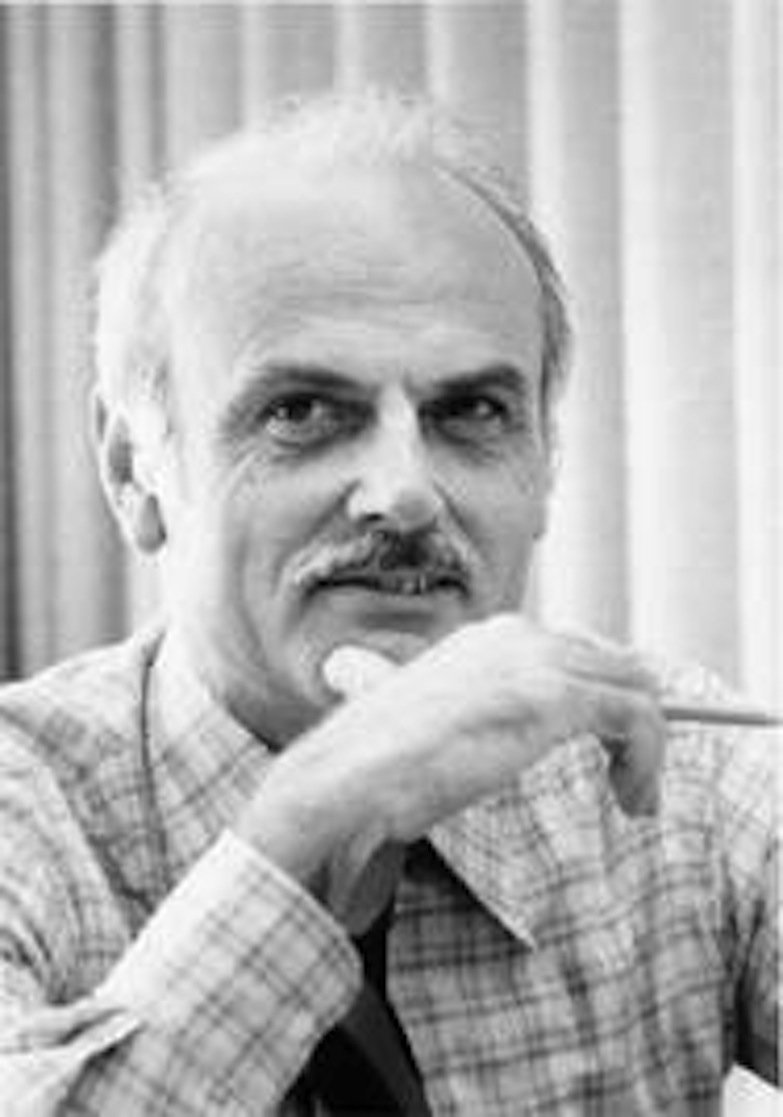
Edgar F. “Ted” Codd (1923–2003) received the 1981 Turing Award for inventing the relational algebra formalism underlying relational databases.
id |
title |
rating |
release_date |
description |
|---|---|---|---|---|
| 1 | Hamilton | PG-13 | 2020-07-03 | The groundbreaking American musical… |
| 2 | Casablanca | PG | 1942-11-26 | Casablanca is a… |
id column gives each row’s primary key—a permanent and unique identifier that is never reused, even if that row is deleted. Most databases can be configured to assign primary keys automatically in various ways; Rails uses the very common convention of assigning integers in increasing order as new rows are created.
In Rails, data takes the form of a set of resources stored in a relational database. Amazingly, you don’t need to know much about how RDBMSs work to get started with Rails, though understanding their basic operation becomes more important as your apps begin to comprise multiple types of resources with relationships among them.
Therefore, the key questions to address in order to understand the role of the database in the Rails Model–View–Controller architecture are as follows:
What is the correspondence between how an instance of a resource (say, the information about a specific movie) is stored in the database and how it is represented in the programming language used by the framework (in this case, Ruby)?
What software mechanisms mediate between those two representations, and what programming abstractions do those mechanisms expose?
In our case, the answer is that Rails implements the Active Record architectural pattern.
Active Record refers to the pattern itself; ActiveRecord refers to the code module that instantiates the pattern in the Rails framework.
In this pattern, a Rails model is a class backed by a specific table of an RDBMS. An instance of the class (for example, the entry for a single movie) corresponds to a single row in that table. The model has built-in behaviors that directly operate on the database:
Create a new row in the table (representing a new object),
Read an existing row into a single object instance,
Update an existing row with new attribute values from a modified object instance,
Delete a row (destroying the object’s data forever).
This collection of four commands is often abbreviated CRUD. The combination of table name and id uniquely identifies a model instance stored in the database, and as we will see, is therefore how objects are usually referenced in RESTful routes in Rails apps.
Unlike some other SaaS frameworks in which the abstraction exposed to the developer is the connection to the database itself, Active Record gives each model the knowledge of how to create, read, update, and delete instances of itself in the database (CRUD). That is, all of the logic for “talking to” the database, and (critically) for how to marshal and unmarshal (serialize or deserialize) attributes, is implicitly included in each model. Rails accomplishes this by providing a class ActiveRecord::Base from which your models will inherit. In OOP terms, Create and Read are class methods, since they define actions on the collection of model instances as a whole, whereas Update and Delete are instance methods, since they define actions on a specific model instance.
Remarkably, as Figure 4.3 shows, simply defining a class that descends from Rails’ ActiveRecord::Base class provides all the necessary machinery to “connect” the model to the database. Specifically:
The directory
app/modelsis expected to contain one Ruby code file per model. The file name is determined by converting the model’s class name tolower_snake_case, so the fileapp/models/movie.rbis expected to define the classMovie.The database table name is determined by converting the model’s class name to
lower_snake_caseand pluralizing it. For example, instances of modelAccountCodewould be stored in tableaccount_codes.The attributes of the model, and their types (string, integer, date, and so on), are inferred from the names and types of the table’s columns.
The model automatically has class (static) methods
newandcreate, among others, that expect a hash of arguments whose keys match those attribute names and whose values supply the attribute values for a movie instance to be created in memory (new) or immediately persisted in the database (create).
ch_rails/code/initial_migration.rb
ch_rails/code/seeds.rb
# Seed the RottenPotatoes DB with some movies.
more_movies = [
  {:title => 'Aladdin', :rating => 'G',
    :release_date => '25-Nov-1992'},
  {:title => 'When Harry Met Sally', :rating => 'R',
    :release_date => '21-Jul-1989'},
  {:title => 'The Help', :rating => 'PG-13',
    :release_date => '10-Aug-2011'},
  {:title => 'Raiders of the Lost Ark', :rating => 'PG',
    :release_date => '12-Jun-1981'}
]

more_movies.each do |movie|
  Movie.create(movie)
endcreate class method creates a movie instance in the database from a hash whose keys are the table’s column names.
In fact, just about the only thing this class definition doesn’t do is create the actual table in the database; we must do that ourselves, by first telling Rails how to actually connect to the database, and then providing instructions for creating the necessary model table(s) in our schema. When a new Rails app is created from scratch, the automatically-generated file config/database.yml specifies how to connect to the database.
YAML (“YAML Ain’t Markup Language”) can express hierarchical data structures comparable to those covered by JSON.
By default, Rails apps are initially configured to use SQLite, a lightweight single-user RDBMS, but later we will see how to modify this file to connect to “industrial strength” database servers such as Postgres or MySQL. To create the actual table, we create and apply a migration—a Ruby script describing a set of changes to make to the database schema.
 Why use migrations rather than directly issuing SQL statements such as
 create table? There are many reasons, but as we will see, Rails defines three environments in which your app can run: development (when you’re coding), production (the live app containing real customer data), and test (used only when running automated tests). Each environment gets its own completely separate database, but of course, the schemata of all three databases need to be kept in sync. It is much less error-prone to write a single migration script and run it against each environment than to ensure you issue the exact same set of SQL commands three times.
To create and apply a migration, you first give the command rails generate migrationname, where name is some descriptive name for what the migration does; in this example, we might say rails generate migration create_movies_table. Rails will create a Ruby file whose name consists of your migration’s name plus a timestamp. The file defines a migration class with your specified name that descends from ActiveRecord::Migration and has an empty change instance method. You fill in that method with the desired schema changes, save the file, and then run the command rake db:migrate, which invokes the Rails utility tool rake to run the task db:migrate. (rake -T shows a list of available tasks with brief descriptions.)
Notice that you don’t have to specify the filename of which migration to apply: Rails tracks which migrations have been applied to which environments’ databases. The db:migrate task examines the environment variable RAILS_ENV to determine which environment to apply the migration in, defaulting to development if not set, and then applies all pending migrations not yet applied to that database. Running rake db:migrate multiple times is harmless, since migrations already applied will simply be ignored on subsequent runs.
The next CHIPS exercise gives you some hands-on practice with how the Rails implementation of Active Record actually works.
Summary
The Rails implementation of ActiveRecord uses convention over configuration to infer database table names from the names of model classes, and to infer the names and types of the columns (attributes) associated with a given kind of model.
Basic Active Record support focuses on the CRUD actions: create, read, update, delete.
Every model instance saved in the database receives an ID number unique within its table called the primary key, whose attribute name (and therefore column name in the table) is
idand which is never “recycled” (even if the corresponding row is deleted). The combination of table name andiduniquely identifies a model instance stored in the database, and is therefore how objects are usually referenced in RESTful routes.Changing the database schema, including creating the tables needed by your models, is accomplished by creating and running migrations. Rails itself tracks which migrations have been applied in each of the three environments—development, production, and testing.
Convention over configuration is great, but there are times you may need to override it. For example, if you’re trying to integrate your Rails app with a non-Rails legacy app, the database tables may already have names that don’t match the names of your models, or you may want friendlier attribute names than those given by taking the names of the table’s columns. All of these defaults can be overridden at the expense of more code, as the ActiveRecord documentation describes. In this book we choose to reap the benefits of conciseness by sticking to the conventions.
What do you think would happen if you tried to run the code in the top and bottom parts of Figure 4.3 without having created and run the migration in the middle part of the figure?
An error would occur upon the first call to any method in the Movie class that requires accessing the database, since it would be unable to find any table named movies.
Describe how a type of entity with a given set of attributes is represented in a relational database in a Rails SaaS app.
4.3 CHIPS: ActiveRecord Basics
 https://github.com/saasbook/hw-activerecord-practice
Write ActiveRecord operations to manipulate a database of fictional customers, as a way of learning ActiveRecord’s basic features before using it in Rails apps.
4.4 Routes, Controllers, and Views
We’ve now been introduced to how Rails implements the models in MVC, but when users interact with a SaaS app via a browser, they’re interacting with views and invoking controller actions, either by typing URIs into their browser (resulting in an HTTP GET) or interacting with page elements that generate GET requests (links) or POST requests (forms). In this section we take a tour through views and controllers to understand the lifecycle of such a request when it hits a Rails app. We first explore the controllers and views corresponding to REST actions that only read model data: Index and Read. In Section 4.6 we consider controllers and views corresponding to actions the modify data: Create, Update, and Delete.
As we know from Section 3.2, our app will receive a request in the form of an HTTP route. The first step in a Rails app is therefore to determine which code in the app should be invoked to handle that route. Rails provides a flexible routing subsystem that maps routes to specific Ruby methods in each controller using the contents of the file config/routes.rb. You can define any routes you like there, but if your app is RESTful (centered around CRUD requests against a set of resources) and you abide by convention over configuration, the single line resources ’movies’ (in our case) defines a complete set of RESTful routes for a model (resource) called Movies, as Figure 4.4 shows.
resources :movies would also work: like table and column names in migrations, resource names in the routes file may be either strings or symbols.
| Helper method | URI returned | RESTful route and action | |
|---|---|---|---|
movies_path |
/movies |
GET /movies |
index |
movies_path |
/movies |
POST /movies |
create |
new_movie_path |
/movies/new |
GET /movies/new |
new |
edit_movie_path(m) |
/movies/1/edit |
GET /movies/:id/edit |
edit |
movie_path(m) |
/movies/1 |
GET /movies/:id |
show |
movie_path(m) |
/movies/1 |
PUT /movies/:id |
update |
movie_path(m) |
/movies/1 |
DELETE /movies/:id |
destroy |
resources ’movies’ in a Rails app’s routes.rb file. You can display a table like this by running the command rake routes in the root directory of your app.
Although “RESTful route and action” column in the table should look familiar from Section 3.2, we raise four questions about it:
The four CRUD actions plus the Index action should only need five routes; why are there seven?
Most Web browsers can only generate HTTP
GETandPOSTrequests; how can a browser generate a route such as Update, which uses HTTPPUT?Some routes such as
showinclude a variable (parameter) as part of the route URI, and others such ascreatemust also provide the attribute values of the entity to be created as parameters. How are these parameters and their values made available to the controller action?Finally, what are the “route helper methods” referred to in the table and why are they needed?
The first question—why seven routes rather than five—is easy but subtle. We preview the answer here and will return to it when we discuss HTML forms in Section 4.6. A RESTful request to create a movie would typically include information about the movie itself—title, rating, and so on. But in a user-facing app, we need a way to collect that information interactively from the user, usually by displaying a form the user can fill in. Submitting the form would clearly correspond to the create action, but what route describes displaying the form? The Rails approach is to define a default RESTful route new that displays whatever is necessary to allow collecting information from the user in preparation for a create request. A similar argument applies to update, which requires a way to show the user an editable version of the existing resource so the user can make changes; this latter action is called edit in rails, and typically displays a form pre-populated with the existing resource’s attribute values.
Turning to the second question, for historical reasons Web browsers only implement GET (for following a link) and POST (for submitting forms).
Actually, most browsers also implement HEAD, which requests metadata about a resource, but we needn’t worry about that here.
To compensate, Rails’ routing mechanism lets browsers use POST for requests that normally would require PUT or DELETE. Rails annotates the Web forms associated with such requests so that when the request is submitted, Rails internally changes the HTTP method “seen” by the controller to PUT or DELETE as appropriate. The result is that the Rails programmer can operate under the assumption that PUT and DELETE are actually supported, even though browsers don’t implement them. As a result, the same set of routes can handle either requests coming from a browser (that is, from a human being) or requests coming from another service in a SOA.
What about routes that include a parameter in the URI, such as show, or those that must also include parameters corresponding to attribute values for a resource, such as create? As we will see in the code examples in this section (and you will have an opportunity to experiment with in the next CHIPS), the Rails routing subsystem prepares a hash called params[] that is made available to the controller. With the above routes.rb file as part of an app, typing rake routes at the command line (within the root directory of your app) will list all the routes implied by that file, showing wildcard parameters with the colon notation introduced in Section 3.5. For example, the route for show will appear as GET /movies/:id, which tells us that params[:id] will hold the actual ID value parsed from the URI. Further, as we will see, Rails provides an easy way to generate an HTML form in which the form fields are named in such a way that another value in params, in this example params[:movie], is itself a hash of key/value pairs corresponding to a Movie object’s attributes and their desired values. This mechanism sounds more confusing than it actually is, as the code examples below will show.
Finally, what are “route helpers”? By convention over configuration, the route URIs will match the resource name, but as we’ll see later, you can override this behavior. You might, for example, decide later that you’d rather have your routes built around film rather than movie. But then any view in your app that references the old-style movie route URIs—for example, the page that serves the form allowing users to edit a movie’s info—would have to be changed to film. This is the problem that route helpers solve: they decouple what the route does (create, read, and so on) from the actual route URI. As the table suggests, the Ruby method movies_path will return the correct URI for the route “list all movies,” even if the URI text itself is changed later (or for “create new movie,” if POST is used as the route’s verb). Similarly movie_path(23) will always return the correct URI for “show movie ID 23” (or update or destroy movie ID 23, depending on which HTTP verb is used). The route helpers also make explicit what the route is supposed to do, improving readability. 
What about the controller methods (called controller actions in Rails) that handle each RESTful operation? Once again, convention over configuration comes to the rescue. By default, the routes created by resources ’movies’ will expect to find a file controllers/movies_controller.rb that defines a class MoviesController (which descends from the Rails-provided ApplicationController, just as models descend from ActiveRecord::Base). That class will be expected to define instance methods index, new, create, show (read), edit, update, and destroy, corresponding to the RESTful actions of Figure 4.4.
Each of these controller actions generally follows a similar pattern:
Collect the information accompanying the RESTful request: parameters, resource IDs in the URI, and so on
Determine what ActiveRecord operations are necessary to fulfill the request. For example, the Index action might just require retrieving a list of all movies from the Movies table; the Update action might require identifying a resource ID from the URI, parsing the contents of a form, and using the form data to update the movie with the given ID (primary key); and so on.
Set instance variables for any information that will need to be displayed in the view, such as information retrieved from the database.
Render a view that will be returned as the result of the overall request.
That leaves only the last bullet point: how does each controller action select a view, and how is the information generated in the controller action made available to that view?

Warning! Counterintuitively, if there is no controller action matching a route but there is a view, Rails will render that view. See Fallacies & Pitfalls for details.
You should no longer be surprised to hear that part of the answer lies once again in convention over configuration. Controller actions do not return a value; instead, when a controller action finishes executing, by default Rails will identify and render a view named app/views/model-name/action.html.erb, for example app/views/movies/show.html.erb for the show action in MoviesController. The Rails module that choreographs how views are handled is ActionView::Base. This view consists of HTML interspersed with Erb (Embedded Ruby) tags that allow the results of evaluating Ruby code to be interpolated into the HTML view. In particular, any instance variables set in the controller method become available in the view.
Rereading the previous sentence should give you pause. Why would instance variables of one class (MoviesController) be accessible to an object of a completely different class (ActionView::Base), violating all OOP orthodoxy? The simple reason is that the designers of Rails thought it would make coding easier. What actually happens is that Rails creates an instance of ActionView::Base to handle rendering the view, and then uses Ruby’s metaprogramming facilities to “copy” all of the controller’s instance variables into that new object!
The controller code is in class
MoviesController, defined inapp/controllers/movies_controller.rb(note that the model’s class name is pluralized to form the controller file name.) Your app’s controllers all inherit from your app’s root controllerApplicationController(inapp/controllers/application_controller.rb), which contains controller behaviors common to multiple controllers (we will meet some in Chapter 5) and in turn inherits fromActionController::Base.Each instance method of the controller is named using
lower_snake_caseaccording to the RESTful action it handles, plus the two “pseudo-actions”newandedit.The view template for each action is named the same as the controller method itself, so the view for Showing a movie would be in
app/views/movies/show.html.erb. Strangely but conveniently, each view has access to the instance variables set in the controller action that caused the view to be rendered.
ch_rails/code/controller_index_show.rb
ch_rails/code/index.html.erb
<h1>All Movies</h1>

<%= link_to 'Add Movie', new_movie_path, :class => 'btn btn-primary' %>

<div id="movies">
  <div class="row">
    <div class="col-8">Movie Title</div>
    <div class="col-2">Rating</div>
    <div class="col-2">Release Date</div>
  </div>
  <%- @movies.each do |movie| %>
    <div class="row">
      <div class="col-8"> <%= link_to movie.title, movie_path(movie) %> </div>
      <div class="col-2"> <%= movie.rating %></div>
      <div class="col-2"> <%= movie.release_date.strftime('%F') %> </div>
    </div>
  <% end %>
</div>ch_rails/code/show.html.erb
<h1>Details about <%= @movie.title %></h1>

<div id="metadata">
  <ul id="details">
    <li> Rating: <%= @movie.rating %> </li>
    <li> Released on: <%= @movie.release_date.strftime('%F') %> </li>
  </ul>
</div>

<div id="description">
  <h2>Description:</h2>
  <p> <%= @movie.description %> </p>
</div>

<%= link_to 'Edit this movie', edit_movie_path(@movie), :class => 'btn' %>
<%= link_to 'Back to movie list', movies_path, :class => 'btn btn-primary' %>index and show. The index method just retrieves all movies, while the show method examines params[], which has been prepared by the routing subsystem, to retrieve the desired movie’s id field from the route URI. Controller instance variables defined in each action are available in the corresponding view. The row and col-n classes applied to the div elements in the movie list take advantage of the Bootstrap framework’s 12-column grid system to display a tabular view.
There’s one last thing to notice about these views: they aren’t legal HTML! In particular, they lack an HTML DOCTYPE, the <html> element, and its children <head> and <body>. In fact, we need to put those elements in views/application.html.erb, which “wraps” all views by default, as Figure 4.6 shows.
ch_rails/code/application.html.erb
<!DOCTYPE html>
<html>
  <head>
    <title> RottenPotatoes! </title>
    <link rel="stylesheet" href="https://getbootstrap.com/docs/4.0/dist/css/bootstrap.min.css">
    <%= javascript_include_tag :application %>
    <%= csrf_meta_tags %>
  </head>
  <body>
    <div class="container">
      <%- if flash[:notice] %>
      <div class="alert alert-info text-center"><%=flash[:notice]%></div>
      <%- elsif flash[:alert] %>
      <div class="alert alert-danger text-center"><%=flash[:alert]%></div>
      <% end %>
      <%= yield %>
    </div>
  </body>
</html>Summary:
Rails provides various helper methods that take advantage of the RESTful route URIs, including
link_tofor generating HTML links whose URIs refer to RESTful actions.Convention over configuration is used to determine the file names for controllers and views corresponding to a given model. If the RESTful route helpers are used, as in
resources :movies, convention over configuration also maps RESTful action names to controller action (method) names.Although the most common way to finish a controller action is to render the view corresponding to that action, for some actions such as
createit’s more helpful to send the user back to a different view. Usingredirect_toreplaces the default view rendering with a redirection to a different action.Although redirection triggers the browser to start a brand-new HTTP request, the
flashcan be used to save a small amount of information that will be made available to that new request, for example, to display useful information to the user regarding the redirect.

So far we have seen two examples of how Rails combines convention over configuration with on-the-fly code generation. In ActiveRecord, getter and setter instance methods for ActiveRecord models are defined at runtime by inspecting the database schema. In the routing subsystem, route helpers such as new_movie_path are defined at runtime based on the contents of config/routes.rb. (While controller methods automatically knowing how to locate the default view to render is also an example of convention over configuration, there’s no new code that needs to be generated at runtime to support it.)
The route helpers for Show and Update take an argument, as in movie_path(@movie), but the route helpers for New and Create (new_movie_path and movies_path) do not. Why the difference?
The argument to the Show and Update route helpers is either an existing Movie instance or the ID (primary key) of an existing instance. Show and Update operate on existing movies, so they take an argument to identify which movie to operate on. New and Create operate on not-yet-existing movies.
Why doesn’t the route helper movies_path for the Index action take an argument? (Hint: The reason is slightly different than the answer to the previous question!)
The Index action just shows a list of all the movies, so no argument is needed to distinguish which movie to operate on.
Use the appropriate form tag helpers in a Rails view to construct a form that collects information about a model instance and submits to the Create or Update action.
4.5 CHIPS: Rails Routes
https://github.com/saasbook/rails-routing-practice
Specify routes in a Rails app and identify how parts of a route map to parameters and other data made available to Rails controllers, using the Rails routing practice app at http://rails-routing-practice.saasbook.info.
4.6 Forms
So far we’ve looked at views that display data to the user, but not views that collect data from the user. The simplest mechanism for doing so consist of HTML forms. To create them, we address the following steps:
How do we display a fill-in form to the user?
How is the information filled in by the user made available to the controller action, so that it can be used in a
createorupdateActiveRecord call?
The first step is straightforward: As Section 4.4 described, Rails by default defines a new action (and route) for this purpose. Following the pattern seen so far and illustrated in Figure 4.4:
The route
GET /movies/newnames the action, and the route helpernew_movie_pathwill generate the URI portion of the route;The action will be handled by the method
MoviesController#new;By default, the controller action will end by rendering a view
app/views/movies/new.html.erb.
It seems logical to assume that that view should contain an HTML form that submits to the create RESTful route. When that HTML form is submitted, a controller action will need to parse the form data and do something with it—in our case, use it to populate the attributes of a new Movie object. To do so, the controller action must have knowledge about how the HTML form fields are named, so that it can extract data from each field and use that data to populate attributes of an instance of the Movie model. Such a scenario—a form whose fields represent attributes of an ActiveRecord model object—is so common that Rails streamlines the process by using form tag helper methods, as Figure 4.7 shows.
The form_tag method takes two arguments. First is the URI to which the form should submit; in this case, the RESTful route helper (Figure 4.4) is used to generate that URI. Second is a hash of optional arguments, one of which may be the HTTP method that should be used to submit the form. POST is the default so we didn’t need to specify it here; GET is acceptable if submitting the form doesn’t change any application data. If you specify PUT, PATCH, or DELETE, as Section 4.4 described, the browser will still use POST to submit the form but Rails will “automagically” make it appear that the form was submitted using the method you specified.
Within the form body, helpers such as label and text_field generate HTML form fields whose names follow conventions that make them easy to parse by the controller action. Specifically, all of the attributes (title, rating, release date) will appear in params as a single hash, ready for assignment to a model instance of the specified class (in this case Movie).
ch_rails/code/form_helper_example.html.erb
<h2>Create New Movie</h2>
<%= form_tag movies_path, :method => :post, :class => 'form' do %>
  <%= label :movie, :title, 'Title', :class => 'form-control' %>
  <%= text_field :movie, :title, :class => 'form-control' %>
  <%= label :movie, :rating, 'Rating', :class => 'form-control' %>
  <%= select :movie, :rating, ['G','PG','PG-13','R','NC-17'], :class => 'form-control' %>
  <%= label :movie, :release_date, 'Released On' %>
  <%= date_select :movie, :release_date, :class => 'form-control' %>
  <%= submit_tag 'Save Changes' %>
<% end %>Movie object. The :class=>name option sets the HTML class(es) of an element; we apply Bootstrap’s classes form and form-control to the form and its elements respectively.
Note that just as with the RESTful route helpers (Figure 4.4), you are not required to use form tag helpers, and indeed not all input field types have corresponding helper methods. (The Rails guide on form tag helpers and Rails API documentation describe the various form tag helper options in detail.) But as we’ll see next, given the common flow of submitting a form related to a model and using the form’s information to create or update a model instance, using them actually saves you work and results in less code in your views.
To recap where we are, we created the new controller method that will render a view giving the user a form to fill in, placed that view in new.html.erb, and arranged to have the form submitted to the create controller method. All that remains is to have the create controller action parse the form information and use it to create a new movie in the database.
Recall from the examples in Section 4.2 that the Movie.create call takes a hash of attribute names and values to create a new movie instance in the database (in contrast to Movie.new, which creates an instance of the Ruby class Movie but does not save it in the database). The reason to use form tag helpers now becomes clear: if you look at the HTML page generated by the new.html.erb template, you’ll see that the form fields created by the form tag helpers have names of the form ’movie[title]’, ’movie[rating]’, and so on. As a result, the value of params[’movie’] is a hash of movie attribute names and values, which we can pass along directly using Movie.create!(params[’movie’]).
Or params[:movie], since params is another example of a Rails hash-like object whose keys can be referenced as either strings or symbols.
It is worth reading the above paragraph again: the form tag helpers give names to the form fields that result in params[’movie’] containing exactly what needs to be passed to ActiveRecord’s create or update_attributes methods. This streamlining is not only a great example of convention over configuration, but also an example of how a framework can simplify the “mechanical work” of making the models, views, and controllers in a SaaS app work smoothly together.
We must, however, attend to an important detail before our controller action will work. “Mass assignment” of a whole set of attributes, as occurs when we pass the hash params[’movie’] to an ActiveRecord call, is a mechanism that could be used by a malicious attacker to set model attributes that shouldn’t be changeable by regular users.
As Figure 4.8 shows, Rails requires us to declare in the controller which elements of params are required to be present (if any) for a given action, and critically, which elements are permitted to be assigned to model attributes. This mechanism follows the principle of least privilege in computer security, a topic to which we return in Section 12.9 when discussing how to defend customer data.
ch_rails/code/strong_params.rb
params are required to be present and which values are permitted to be used to update the model. require and permit operate on the params hash or any of its sub-hashes, as the Rails documentation explains. In Section 5.1 we introduce before-filters, which can be used to DRY out this code rather than repeating it in any controller action that might try to create or modify a model instance.
The screencast shows how mass-assignment works in practice, and also shows the helpful technique of using debug breakpoints to provide a detailed look “under the hood” during execution of a controller action. 
Inside the create controller action, we placed a debug breakpoint to inspect what’s going on, and used a subset of the debugger commands in Figure 4.10 to inspect the params hash. In particular, because our form’s field names all looked like movie[…], params[’movie’] is itself a hash with the various movie fields, ready for assigning to a new Movie object.
At this point, the controller action has used params[’movies’] to create a new movie record, ostensibly successfully. But what should we display when the create action completes? Strict convention over configuration suggests a view app/views/movies/create.html.erb that simply confirms the movie was created, and provides a link or other mechanism to go back to the list of movies, but it seems clumsy to have a separate view just to do that. One alternative would be to streamline the user experience by just sending the user back to the newly-updated list of all movies (Index action), but arrange to display a confirmation message somewhere on the page that the movie was added successfully.
 Since we already have an action and view to handle Index, the DRY way to proceed is to have the controller action issue an HTTP redirect, telling the Web browser to start an entirely new request for the Index action. But this approach presents a small problem. Since HTTP is stateless, when this new Index request is routed by Rails to our controller’s
 index method, all of the variables associated with the prior create request are gone. That is a problem if we want to display a friendly message at the top of the movie list, since at the moment of the index call, we no longer know the name or ID of the previously-created movie.
To address this common scenario, the flash[] is a special object available in a controller that quacks like a hash, but whose contents persist only from the current request to the next. In other words, if we put something into flash[] during the current controller action, we can access it during the very next action, but not during any subsequent actions. The entire hash is persisted, but by convention, flash[:notice] is used for informational messages and flash[:alert] is used for messages about things going wrong. Using the flash in conjunction with a redirect is so common that the Rails redirect_to method provides a special syntax for it, as Figure 4.9 shows. In fact, the flash is just a special case of the more general session[], whose contents persist “forever” across requests from the same browser (until you clear it out manually).
But which view(s) should attempt to display the contents of the flash? In this example, we chose to redirect the user to the movies listing, so perhaps we should add code to the Index view to display the message. But in the future we might decide to redirect the user someplace else instead, and in any case, the idea of displaying a confirmation message or warning message is so common that it makes sense to factor it out rather than putting it into one specific view.
Recall that app/views/layouts/application.html.erb is the template used to “wrap” all views by default. This is a good candidate for displaying flash messages since any pending messages will be displayed no matter what view is rendered, as lines 11–15 of Figure 4.6 show.
ch_rails/code/controller_forms_methods.rb
class MoviesController < ApplicationController
  # 'index' and 'show' methods from Section 4.4 omitted for clarity
  def new
    @movie = Movie.new
  end
  def create
    if (@movie = Movie.create(movie_params))
      redirect_to movies_path, :notice => "#{@movie.title} created."
    else
      flash[:alert] = "Movie #{@movie.title} could not be created: " +
        @movie.errors.full_messages.join(",")
      render 'new'
    end
  end
  def edit
    @movie = Movie.find params[:id]
  end
  def update
    @movie = Movie.find params[:id]
    if (@movie.update_attributes(movie_params))
      redirect_to movie_path(@movie), :notice => "#{@movie.title} updated."
    else
      flash[:alert] = "#{@movie.title} could not be updated: " +
        @movie.errors.full_messages.join(",")
      render 'edit'
    end
  end
  def destroy
    @movie = Movie.find(params[:id])
    @movie.destroy
    redirect_to movies_path, :notice => "#{@movie.title} deleted."
  end
  private
  def movie_params
    params.require(:movie)
    params[:movie].permit(:title,:rating,:release_date)
  end
endMovie model. The create and update actions make use of the fact that Rails form helpers arrange to populate params[’movies’] with a hash of attribute values ready to pass to ActiveRecord, but the private movie_params method tells Rails which params are required and which are “safe” to pass along to ActiveRecord.
Summary
When creating a form, you specify the controller action that will receive the form submission by passing
form_tagthe appropriate RESTful URI and HTTP method (as displayed byrake routes). It’s convenient, but not required, to use RESTful URI helpers likemovies_pathandedit_movie_pathrather than creating the URIs manually.When the form is submitted, the controller action can inspect
params[], whose keys are the form field names and whose values are the user-supplied contents of the fields. If you use Rails form helpers, the field names are chosen such thatparams[:model]is a hash whose keys and values are the user-supplied values for an instance of model.When creating or updating a model object, for user friendliness it’s common to simply
redirect_toa view such asindex, rather than rendering a dedicated view.When finishing a controller action using a redirect,
flash[:notice]orflash[:alert]can be set to a message that will persist until the next request. It’s conventional to modify the application layout to display such messages, so they get displayed no matter where the redirect points.
PUT work?
What exactly happens when you specify :method=>:put in the options to form_tag? Rails actually arranges to insert a “hidden field” in your form whose value serves as a cue to the routing and dispatching system that the form “should have been” submitted via HTTP PUT rather than POST. The dispatching system then modifies the HTTP request object seen by the routing system to make it appear that PUT was used, and removes the hidden form field from the actual form contents the controller will see. At that point, the Rails routing subsystem can do its job and route the request as if PUT had been used. This scheme may seem convoluted, but it allows the same set of routes and actions to be used to handle both user-generated requests (from a browser) and programmatic RESTful requests made to an API in a service-oriented architecture.
Why does the form for creating a new movie submit to the create method rather than the new method?
Creating a new record requires two interactions. The first one, new, loads the form. The second one, create, causes the actual creation of the new record based on values in the filled-in form.
Why must every controller action either render a view or perform a redirect?
HTTP is a request-reply protocol, so every action must generate a reply. One kind of reply is a view (Web page) but another kind is a redirect, which instructs the browser to issue a new request to a different URI.
Why does it make no sense to have both a render and a redirect (or two renders, or two redirects) along the same code path in a controller action?
Each request needs exactly one reply. Render and redirect are two different ways to reply to a request.
In line 2 of Figure 4.7, what would be the effect of changing :method=>:post to :method=>:get and why?
The form submission would result in listing all movies rather than creating a new movie. The reason is that a route requires both a URI and a method: The movies_path helper with the GET method would route to the index action, whereas the movies_path helper with the POST method routes to the create action.
Given that submitting the form shown in Figure 4.7 will create a new movie, why is the view called new.html.erb rather than create.html.erb?
A RESTful route and its view should name the resource being requested. In this case, the resource requested when the user loads this form is the form itself, that is, the ability to create a new movie; hence new is an appropriate name for this resource. The resource requested when the user submits the form, named by the route specified for form submission on line 3 of the figure, is the actual creation of the new movie.
4.7 CHIPS: Moving the Word Game to Rails
https://github.com/saasbook/hw-rails-wordguesser
You’re already familiar with the word game’s logic and how the Sinatra framework supports the SaaS version of the app. In this assignment, we give you the complete code for a Rails version of the same app, using the unmodified game logic, so you can readily understand the differences between how Rails and Sinatra support SaaS apps.
4.8 Debugging: When Things Go Wrong
Test-driven development (Chapter 8) requires the same skills as debugging but can better prevent bugs before they are hard to track down, and leaves you with better-designed code besides.
Debugging is an annoying but invaluable skill. The amazing sophistication of today’s software stacks makes it possible to be highly productive, but with so many “moving parts,” it also means that things inevitably go wrong, especially when learning new languages and tools. Errors might happen because you mistyped something, because of a change in your environment or configuration, or any number of other reasons.
The best way to debug, of course, is to stop a bug in its tracks and fix it before it manifests. Two fundamental suggestions can help. First, use good tools, including a text editor that supports automatic indentation and syntax highlighting. Syntax errors such as incomplete block structure, missing quotation marks, and so on become easy to catch. If your editor isn’t so equipped, you can either write your code on stone tablets, or switch to a more productive modern editor. 
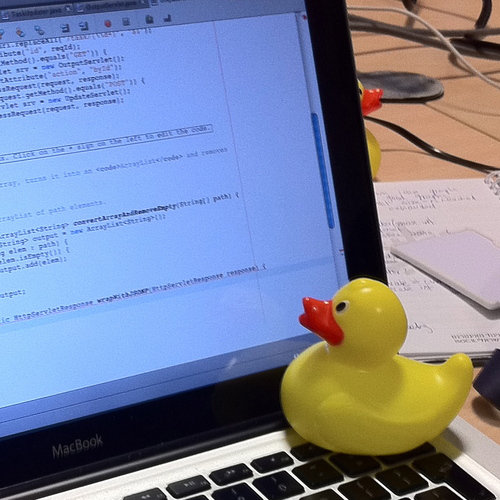
Second, use good colleagues! Many, many students taught by your authors report that they saved huge amounts of time by always pair programming (Section 2.2), because their partner caught a “silly” bug before it became a work stopper. If you’re not pairing but you’re in an “open seating” configuration, or have instant messaging enabled using a tool such as Slack, put the message out there. Try explaining your code line by line to a colleague, or if no colleague is available, to a pet or even an inanimate object. The act of trying to explain in detail may lead you to discover the flaw in your own reasoning.
Rubber duck debugging comes from an anecdote in the book The Pragmatic Programmer: From Journeyman to Master ((Hunt and Thomas 1999)) in which programmers would debug their code by forcing themselves to explain it to a rubber duck they carried around.
But neither good tools nor good colleagues can substitute for your own thinking and debugging skills—after all, it’s your code! Debugging usually involves a gradient of activities you can think of as a rising TIDE:
Trace the source of the error as closely as possible by really examining the error message(s) and log file(s) closely.
Instrument the code near the error, such as by inserting statements to print intermediate values of variables, to see where things go off the rails (so to speak).
Debug interactively using the facilities provided in your language or framework, such as the
byebuggem for Ruby, so you can inspect and modify application state around the bug.Explore question boards such as StackOverflow for similar bugs, and if all else fails, post a question there and ask for help.
We consider each of these in turn.
Trace. If the bug causes your app to crash or report an error message, take the time to really read the error message. Ruby’s error messages can look disconcertingly long, but a long error message is your friend because it gives the backtrace showing not only the method where the error occurred, but also its caller, its caller’s caller, and so on. Don’t throw up your hands when you see a long error message; use the information to understand both the proximate cause of the error (the problem that “stopped the show”) and the possible paths towards the root cause of the error. What is the last line of your code implicated in the backtrace? What happened before then?
This step can be challenging if the bug occurs in code that you blindly cut-and-pasted with no understanding of how it works or what assumptions it makes.
An amusing perspective on the perils of blind “shotgun problem solving” is the Jargon File’s hacker koan “Tom Knight and the Lisp Machine.”
For example, a particularly common proximate cause of Ruby errors is Undefined method ’foobar’ for nil:NilClass. (NilClass is a special class whose only instance is the constant nil.) This error occurs when some computation fails and returns nil instead of the object you expected, but you forgot to check for this error and subsequently tried to call a method on what you assumed was a valid object. If the computation occurred in another method “upstream,” the backtrace can help you figure out where. In SaaS apps, this confusion can be compounded if the failed computation happens in the controller action but the invalid object is referenced in the view, as in this example:
ch_rails/code/nil_object.rb
If you’re not sure you even understand the error message, use a search engine to look up key words or key phrases in the error message. You can also search sites like StackOverflow, which specialize in helping out developers and allow you to vote for the most helpful answers to particular questions so that they eventually percolate to the top of the answer list.
Lastly, don’t forget that the log file development.log (or production.log in the production environment, or test.log during a testing run) contains information such as what specific HTTP request was received, what controller action was invoked, whether the action succeeded or failed or redirected, what database queries if any were performed, and so on. With so many moving parts, there is a lot of “invisible” machinery that gets invoked before your controller code is even reached, and problems that happen there can be hard to find.
Instrument. Instrumentation consists of extra statements you insert to record values of important variables at various points during program execution.
printf debugging is an old name for this technique, from the C library function that prints a string on the terminal.
There are various places you can instrument a Rails SaaS app:
Display a detailed description of an object in a view. For example, try inserting
<%= debug(@movie)%>or<%= @movie.inspect%>in any view to insert the result of the corresponding Ruby expression into the view itself.“Stop the show” inside a controller method by raising an exception whose message is a representation of the value you want to inspect, for example,
raise params.inspectto see the detailed value of theparamshash inside a controller method. Rails will display the exception message as the Web page resulting from the request.Use
Rails.logger.debug(message)in a model or controller to emit message to the log.
Debug interactively. The byebug gem is already installed via the default Rails Gemfile. To use the debugger in a Rails app, insert the statement byebug at the point in your code where you want to stop the program. When you hit that statement, the terminal window where you started the server will give you a debugger prompt.
| n[ext] | execute next line |
| s[tep] | steps into blocks or methods |
| f[inish] | finish current method call and return |
| ps expr | print and evaluate expr, which can be anything that’s in scope within the current stack frame, and can be used to set variables that are in scope, as in eval x=5 |
| up | go up the call stack, to caller’s stack frame |
| down | go down the call stack, to callee’s stack frame |
| where | display where you are in the call stack |
| b[reak] file:num | set a breakpoint at line num of file (current file if file: omitted) |
| b method | set a breakpoint when method called |
| c[ontinue] | continue execution until next breakpoint |
| q[uit] | quit program |
Explore question boards. Many bugs are not unique to a specific app but have happened to others in the past. Before you think about posting a question to a board such as StackOverflow, remember that it can take hours or days to get a response (if you get one), so 15 minutes spent carefully searching previous posts could save you a lot of time.
If that approach fails and you decide to post a question, remember that everyone else on StackOverflow is as busy as you, so write your question in a way that makes it easy for a knowledgeable person to find and answer. Choose your keywords specifically and carefully: rails is extremely common, but the conjunction rails controller redirect narrows the topic down significantly. In the question post itself, be as specific as possible about what went wrong, what your environment is, and how to reproduce the problem. The ideal question post will express as concisely and specifically as possible (a) what your code is supposed to do, (b) the result you expected, (c) the result you actually observe. Here are some examples and anti-examples:
Vague: “The
sinatragem doesn’t work on my system.” There’s not enough information here for anyone to help you.Better, but annoying: “The
sinatragem doesn’t work on my system. Attached is the 85-line error message.” Other developers are just as busy as you and probably won’t take the time to extract relevant facts from a long trace.Best: Look at the actual transcript of this question on StackOverflow. At 6:02pm, the developer provided specific information, such as the name and version of their operating system, the specific commands they successfully ran, and the unexpected error that resulted. Other helpful voices chimed in asking for specific additional information, and by 7:10pm, two of the answers had identified the problem.
While it’s impressive that this developer got their answer in just over an hour, it means they also lost an hour of coding time, which is why you should post a question only after you’ve exhausted the other alternatives.
Summary
Use a language-aware editor with syntax highlighting and automatic indentation to help find syntax errors.
Instrument your app by inserting the output of
debugorinspectinto views, or by making them the argument ofraise, which will cause a runtime exception that will display message as a Web page.To debug using the interactive debugger, make sure your app’s Gemfile includes
byebugand place the statementbyebugat the point in your code where you want to break.
Why can’t you just use print or puts to display messages to help debug your SaaS app?
Unlike command-line apps, SaaS apps aren’t attached to a terminal window, so there’s no obvious place for the output of a print statement to go.
Which of the debugging methods described in this section are appropriate for collecting instrumentation or diagnostic information once your app is deployed and in production?
Only the logger method is appropriate, since the other two methods (“stopping the show” in a controller or inserting diagnostic information into views) would interfere with the usage of real customers if used on a production app.
4.9 CHIPS: Hello Rails
https://github.com/saasbook/hw-hello-rails
Build and deploy a simple app based on Rails.
4.10 Fallacies and Pitfalls
If you specify a route (say GET /movies) that lacks a corresponding controller action (MoviesController#index in this case) but does have a matching view (app/views/movies/index.html.erb in this case), Rails will behave as if the controller action exists but has an empty method definition. That is, it will render the view, but any instance variables used in the view will be nil. If the matching view template does not exist, Rails will signal an error when the route is used. This inconsistency is non-intuitive, so be careful when you set up a route that you immediately add both the controller action and the view template, or else add neither.
Especially if you’ve come from other SaaS frameworks, it may be tempting to use the SQLite command line or a GUI database console to manually add or change database tables or to install libraries. Don’t do it. If you modify the database manually, you’ll have no consistent way to reproduce these steps in the future (for example at deployment time) and no way to roll back the changes in an orderly way. Also, since migrations and Gemfiles are just files that become part of your project, you can keep them under version control and see the entire history of your changes.
Because controller actions are the first place in your app’s code to be called when a user request arrives, it’s remarkably easy for them to slowly absorb logic that really belongs somewhere else, such as the model or a service object. Similarly, it’s easy for code to creep into views—most commonly, a view may find itself calling a model method such as Movie.all, rather than having the controller method set up a variable such as @movies=Movie.all and having the view just use @movies. Besides violating MVC, coupling views to models can interfere with caching, which we’ll explore in Chapter 5. The view should focus on displaying content and facilitating user input, and the controller should focus on mediating between the view and the model and set up any necessary variables to keep code from leaking into the view.
You should minimize what you put in the session[] for two reasons. First, with the default Rails configuration, the session is packed into a cookie (Section 3.2), which the HTTP specification limits to 4 KiB in size. Second, and more importantly, bulky sessions are a warning that your app’s actions aren’t very self-contained and therefore probably not RESTful, and may be difficult to use as part of a Service-Oriented Architecture. Although nothing stops you from assigning arbitrary objects to the session, you should keep just the ids of necessary objects in the session and keep the objects themselves in model tables in the database.
Software breeds complexity. The more numerous and complex the libraries on which your app relies, the more you’ll have to learn to write the app properly; the more resource-intensive (thus possibly slower) the app will run; the harder it will be to maintain; and perhaps most importantly, the more exposure surface it will have for being attacked. Use the simplest framework that will solve most of your problems.
The answer to the question “Should my app use framework X” should be NO by default, unless you can come up with good technical reasons why it should. Some examples of good reasons: the framework encapsulates a solution to a hard technical problem, as Stripe does for credit card processing; the framework provides low-level machinery to instantiate an architecture that the app follows closely, as Rails does for Model–View–Controller; or there are technological constraints requiring you to use the framework (“all our apps are built on framework X and that’s all we know how to maintain”).
Bad reasons include: “It’s the hot new framework”; “All the popular apps use it”; “I will be more marketable if I learn this framework, and this app is a good excuse to learn it”. The last one is doubly false: the most sought-after software engineers are those who can learn new frameworks quickly, and at any rate, a new customer-facing app is not an excuse to learn a framework but an artifact that your customers will rely on, and that whoever comes after you will have to maintain (if you’re lucky; otherwise it will just die).
4.11 Concluding Remarks: Rails as a Service Framework
The introduction to Rails in this chapter may seem to introduce a lot of very general machinery to handle a fairly simple and specific task: implementing a Web-based UI to CRUD actions. However, we will see in Chapter 5 that this solid groundwork will position us to appreciate the more advanced mechanisms that will let you truly DRY out and beautify your Rails apps. For example, adapting your app into an API-based service or microservice is much easier if the app mostly follows the structure of a collection of resources supporting the CRUD actions and perhaps some others. Controller actions such as index and show would need few changes to emit a JSON representation of an object instead of displaying an HTML representation. The new action wouldn’t need to be adapted at all: it’s only there so that the human user can fill in the values that will be used for create, so an API wouldn’t need to provide any version of it. Similarly, in an API-based service, create and update could simply return a JSON representation of the created or updated object, or even the created object’s ID, rather than redirecting back to some other view.
Thus, as with many tools we will use in this book, the initial learning curve to do a simple task may seem a bit steep, but you will quickly reap the rewards by using this strong foundation to add new functionality and features quickly and concisely.
That said, Rails is an opinionated framework, and over the years it has been critiqued for being too large, too complex, and employing too much “magic” to make things work, such as the trick of how instance variables set by controller actions are available to the view, despite the view and controller not sharing any ancestor class and not really being “instances” of anything in any meaningful way. Over the years, modules have been extracted from Rails, more attention has been given to making controllers API-friendly, and many parts of ActiveRecord have been extracted into separate modules that can be mixed in or used without ActiveRecord and even without Rails. In fact, Rails itself was originally extracted from a standalone app written by the consulting group 37signals.
To understand the architecture of a software system is to understand its organizing principles. In Chapter 3 we identified the client-server pattern and the REST API pattern as dominant characteristics of SaaS. In this chapter we identified Model–View–Controller and Active Record as architectural patterns within the boundary of a software artifact. Such patterns are a powerful way to manage complexity in large software systems; we will have much more to say about them in Chapter 11. For now, we observe that by choosing to build a SaaS app, we have predetermined the use of some patterns and excluded others. By choosing to use Web standards, we have predetermined a client-server system; by choosing cloud computing, we have predetermined the three-tier architecture (which Chapter 12 discusses further) to permit horizontal scaling. Model–View–Controller is not predetermined, but we choose it because it is a good fit for Web apps that are view-centric and have historically relied on a persistence tier, notwithstanding other possible patterns such as those in Figure 4.1. REST is not predetermined, but we choose it because it simplifies integration into a Service-Oriented Architecture and can be readily applied to the CRUD operations, which are so common in MVC apps. Active Record is perhaps more controversial—as we will see in Sections 5.8 and 12.7, its powerful facilities simplify apps considerably, but misusing those facilities can lead to scalability and performance problems that are less likely to occur with simpler persistence models.
A good framework should also be closely wedded to the language in which it’s implemented: the framework should not only provide a well-defined abstraction for the application’s architecture, but also use the language’s features to support those abstractions. For example, Rails uses Ruby’s introspection and metaprogramming to provide an elegant implementation of both the Model–View–Controller application architecture and the Active Record design pattern for storing model data. And not all server-side or client-side stacks are application frameworks: while Node.js provides some low-level abstractions for event-driven programming (about which we will have much more to say in Chapter 6), it provides no abstractions for any particular architectural pattern on which one might want to base an application.
If we were building a SaaS app in 1995, none of the above would have been obvious because practitioners had not accumulated enough examples of successful SaaS apps to “extract” successful patterns into frameworks like Rails, software components like Apache, and middleware like Rack. By following the successful footsteps of software architects before us, we can take advantage of their ability to separate the things that change from those that stay the same across many examples of SaaS and provide tools, frameworks, and design principles that support building things this way. As we mentioned earlier, this separation is key to enabling reuse.